

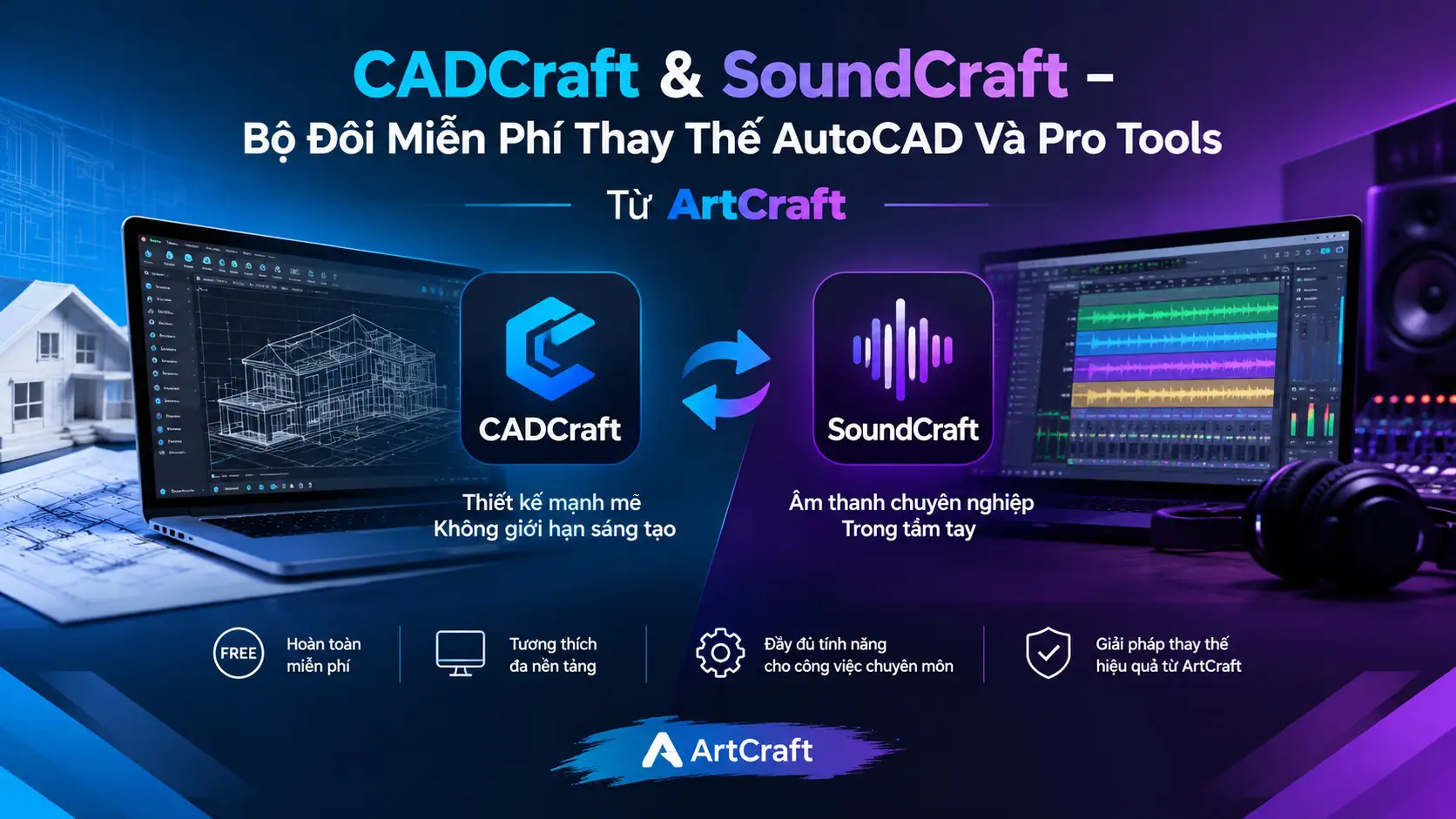
CADCraft and SoundCraft: ArtCraft’s Latest Free Duo Takes On AutoCAD and Pro Tools
If you’re paying hundreds of dollars a year for AutoCAD or Avid Pro Tools, there’s a project quietly changing the game, and CADCraft and SoundCraft are the two apps you need to know about right now.
ArtCraft is an open-source project building a suite of free creative apps written entirely in Rust. It launched its first batch of apps on September 30, 2026. Just a few weeks later, it announced five more, expanding its goal from “replacing Adobe” to “replacing every major professional software package.” The two names drawing the most attention are CADCraft, aimed squarely at Autodesk’s AutoCAD, and SoundCraft, a direct rival to Avid Pro Tools.
Both are completely free. Both are open source. And both are developing at a pace that’s honestly astonishing.
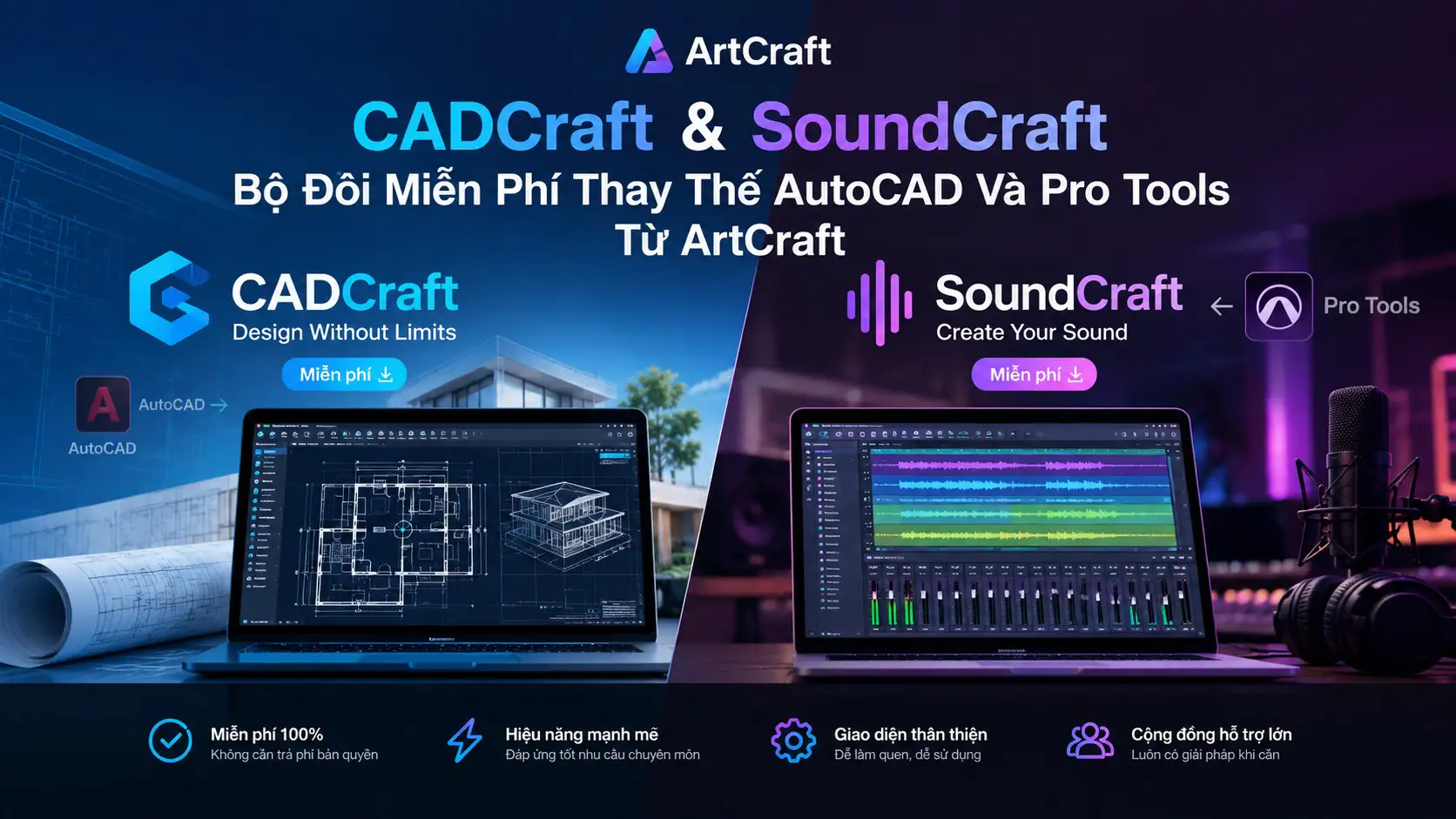
1. What Is ArtCraft, and Why Is the Tech Community Paying Attention?
1.1 A Project Started by One Software Engineer
Brandon Thomas, a software engineer with about 15 years of experience and nearly a decade of working in Rust, built ArtCraft after getting hit with one cancellation fee too many. He used the AI coding tool Claude Opus 5.5 to speed up development.
One thing worth stressing: this isn’t sloppy “vibe coding.” Thomas drew on his real-world experience to make sure every app was built using a “clean-room reimplementation” approach, meaning it’s rebuilt from scratch without copying any copyrighted code or assets from the original software.
1.2 Development Speed and Viral Growth
PhotoCraft, the first app and ArtCraft’s flagship, picked up around 43,000 GitHub stars in just a few days, making it one of the fastest-starred pure Rust apps ever. As of October 11, 2026, WordCraft leads the pack with 3,477 stars, followed by CADCraft with 1,995 and SoundCraft with 1,407.
1.3 ArtCraft’s Current Lineup of 12 Apps
What started as an Adobe-only effort has grown into a full suite of 12 tools:
| ArtCraft App | Category | Commercial Counterpart |
|---|---|---|
| PhotoCraft | Photo editing | Adobe Photoshop |
| VectorCraft | Vector graphics | Adobe Illustrator |
| FilmCraft | Video editing | Adobe Premiere Pro |
| LightCraft | RAW management & development | Adobe Lightroom |
| PdfCraft | PDF editing | Adobe Acrobat |
| EffectCraft | Motion graphics | Adobe After Effects |
| DesignCraft | Layout & publishing | Adobe InDesign |
| WordCraft | Word processing | Microsoft Word |
| GridCraft | Spreadsheets | Microsoft Excel |
| DeckCraft | Presentations | Microsoft PowerPoint |
| CADCraft | Technical CAD design | Autodesk AutoCAD |
| SoundCraft | Professional audio DAW | Avid Pro Tools |
2. CADCraft: A Free AutoCAD Alternative Turning Heads
2.1 What Is CADCraft?
CADCraft is an open-source technical drawing and design application, a ground-up clean-room reimplementation of Autodesk AutoCAD, written purely in Rust.
The latest version on GitHub is v0.5.0. CADCraft runs on macOS, Windows, Linux, and FreeBSD, and there’s also a WebAssembly version that runs right in your browser with no installation. It’s released under a dual MIT or Apache-2.0 license, so you’re free to use it in commercial settings too.
2.2 Interface and User Experience
This is the part longtime AutoCAD users will appreciate most. CADCraft’s interface, command logic, and drawing workflow are designed to feel so close to AutoCAD that anyone already familiar with it can start working almost immediately, with no relearning.
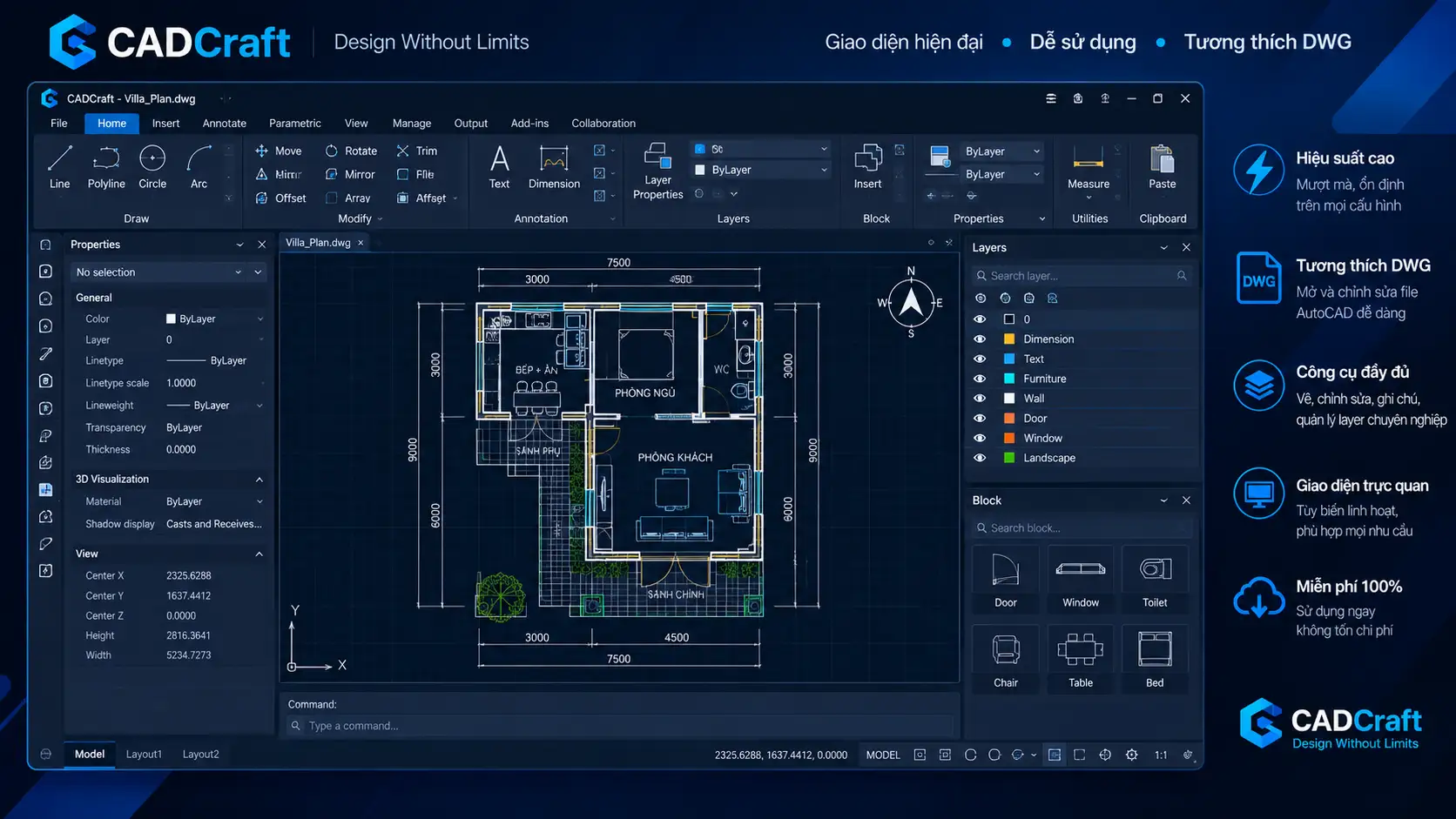
Technically, CADCraft uses Rust with the eGUI interface framework, and the official docs make a point of saying it uses no Electron and no web shell. In practice, that means faster startup and noticeably smoother drawing performance than many alternatives.
2.3 Features Already Working
Even at this early stage, CADCraft covers a fairly complete toolset for professional 2D drafting.
2.3.1 2D Drawing and Editing
The core drawing commands are all there: line, polyline, circle, arc, rectangle, polygon, ellipse, spline, and single-line and multi-line text. The editing toolkit doesn’t fall short of AutoCAD either: move, copy, rotate, scale, mirror, offset, trim, extend, fillet, chamfer, array, and explode.
2.3.2 Precision Drawing
For technical drawings, CADCraft fully supports object snap, polar tracking, ortho mode, grid snap, and direct distance entry, all the features technical users consider non-negotiable.
2.3.3 Layers, Annotation, and Export
Layer management is complete, with a Layer Properties Manager and a properties palette. You also get associative dimensioning, multi-leaders, tables, and TrueType/OpenType font support. Drawings can be exported straight to PDF from Paper Space and viewports.
2.3.4 Parametric Design
This one’s worth highlighting: CADCraft supports parametric design with geometric and dimensional constraints, automatically recalculating when something changes. Not every free CAD program can do that.
2.3.5 Supported File Formats
Beyond DXF and DWG, CADCraft can also export SVG, PNG, and PDF. DXF is read and written natively (both ASCII and binary, from R12 through 2018), while DWG files (R13 through 2018) are handled through the open-source acadrust library. The interface supports 9 languages, including Simplified Chinese, but not yet Vietnamese or Traditional Chinese.
2.4 Limitations to Know Before You Use It
2.4.1 DWG Compatibility Issues
This is the most important thing to watch if you plan to use CADCraft for real work. When saving, CADCraft always writes in the R2000 format. So if you open a newer DWG file, edit it, and save, some information may be lost. More seriously, any object types CADCraft doesn’t support yet won’t be preserved on save.
Practical advice: Always back up the original file before opening it in CADCraft, especially client files or anything important.
2.4.2 No 3D: The Biggest Gap
According to the roadmap updated on October 10, 3D modeling and rendering is only about 2% complete, with an estimated 300 to 450 more hours of work needed. If your work leans heavily on 3D, CADCraft isn’t the right choice right now.
3. SoundCraft: A Free DAW Challenging Avid Pro Tools
3.1 What Is SoundCraft?
SoundCraft is currently at v0.6.1 and is positioned as an open-source reimplementation of Avid Pro Tools. Like CADCraft, it’s written entirely in Rust and fully supports Windows, macOS, Linux, FreeBSD, and a browser-based WebAssembly version.
3.2 Interface and Workflow
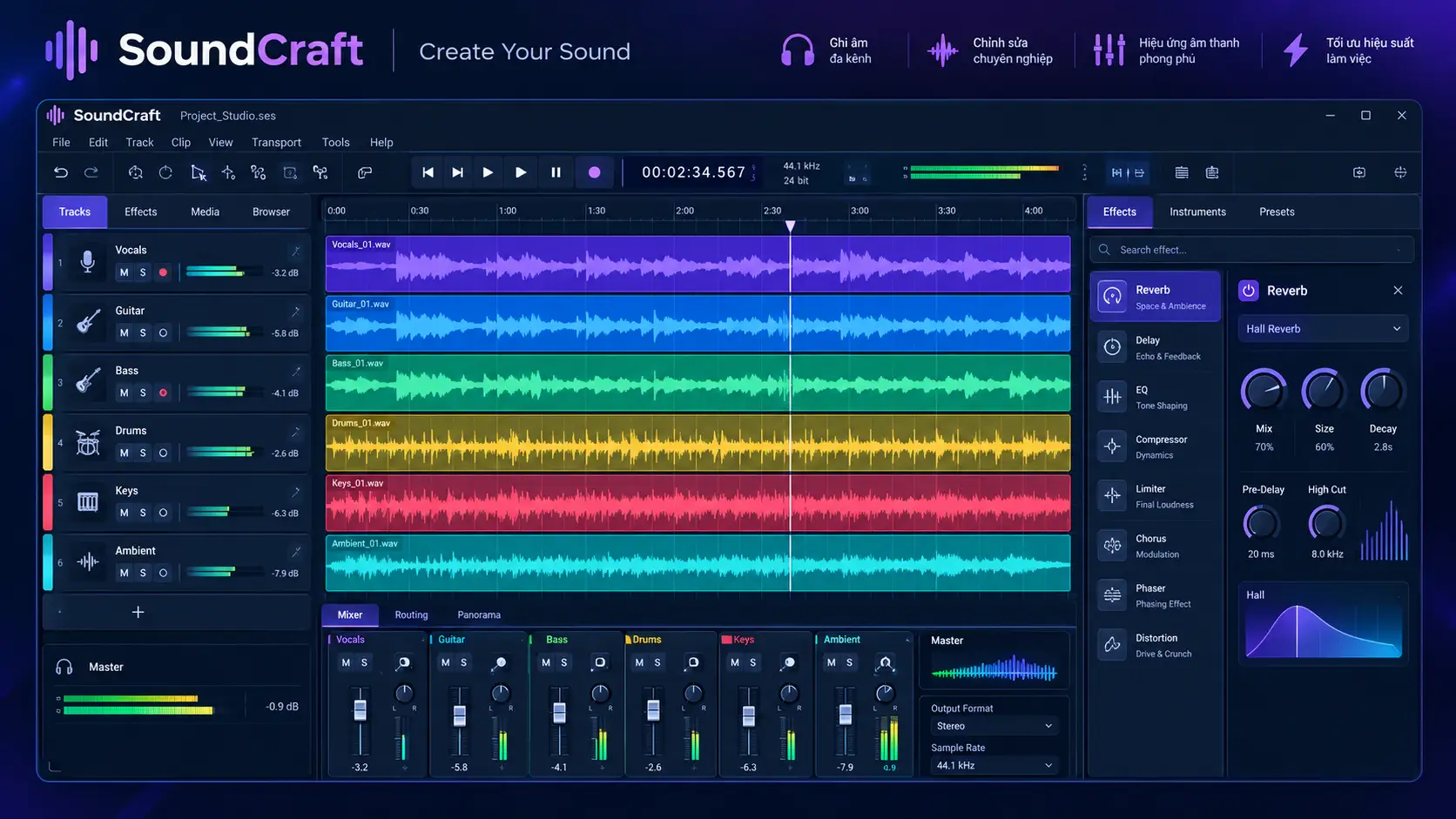
Pro Tools users will feel right at home the first time they open SoundCraft. It replicates the separate two-window structure, an Edit Window and a Mix Window, along with Pro Tools’ four signature edit modes: Shuffle, Slip, Spot, and Grid. Even Commands Focus mode, which lets you trigger commands with a single keystroke, is fully built in.
3.3 Implemented Features
3.3.1 Multitrack Editing
You get everything Pro Tools users are used to: playlist comping, fade in/out, clip gain, and clip restoration, all in a familiar interface.
3.3.2 Professional Mixing
Each track supports 10 inserts and 10 sends, with buses, Aux inputs, VCAs, routing folders, and level meters. Notably, SoundCraft also includes automatic external delay compensation, a feature Pro Tools charges extra for but that’s free here.
3.3.3 Automation and Recording
Full automation is available for volume, panning, mute, sends, and external parameters, with four modes: Write, Touch, Latch, and Trim. Recording includes punch in/out, pre-roll, loop recording, input monitoring, and auto-archive.
3.3.4 Built-in Instruments and Effects
SoundCraft ships with a fairly complete set of built-in effects: EQ, compressor, gate, reverb, delay, and modulation. There’s also a subtractive synthesizer, a drum synthesizer, and a sampler, so you don’t need third-party plugins for the basics.
3.3.5 MIDI, Notation, and Video
There’s a piano roll editor with quantization and transposition, plus a notation editor that can export MusicXML. Video tracks support synced playback of H.264, ProRes, and Motion JPEG. Surround sound support goes up to 9.1.6 and Ambisonics, which is remarkable for free software.
3.3.6 Third-Party Plugins
SoundCraft can load CLAP plugins, and VST3 and Audio Units also appear in the menu. Check the latest documentation to see how well they actually work before relying on any specific plugin.
4. Should You Use CADCraft and SoundCraft Right Now?
4.1 Who Are They For?
CADCraft is a good fit if you:
- Work mainly with 2D technical drawings and don’t need 3D
- Want to test a free solution alongside AutoCAD
- Are a student or freelancer who works with DXF/DWG but can’t afford AutoCAD (from $2,095/year in 2026)
- Want to contribute to a fast-growing open-source project
SoundCraft is a good fit if you:
- Need a free DAW with a Pro Tools-style workflow
- Want a recording and mixing setup without an expensive subscription
- Want a full-featured DAW that runs on Windows, macOS, and Linux
4.2 Important Things to Keep in Mind
Both apps are in early development. That means features will keep changing, bugs are possible, and you shouldn’t fully replace your current tools for important production work without testing thoroughly. Treat them as a chance to follow and join a promising open-source project, not as an instant replacement for projects where mistakes aren’t an option.
5. The Big Picture: ArtCraft’s Plan to Replace Every Major Software Suite
5.1 From Adobe to Autodesk, Microsoft, and Avid
ArtCraft spent all of October 2026 testing one question: can you build open-source apps people can switch to without relearning everything, opening their existing files and keeping the shortcuts already in their fingers?
With 12 apps in the Craft Series, ArtCraft is now taking on three software empires at once: Adobe, Microsoft, and both Autodesk and Avid. Going from zero to 12 apps between September and mid-October 2026 is a pace the open-source world has never seen.
5.2 Legal Issues to Watch
Legal experts have flagged trade dress and patent risks in “clean-room reimplementation” products. It’s an open question, and the community is watching closely. The clean-room method ensures no source code is copied, but similarities in interface and workflow with commercial software remain legally untested territory.
Conclusion
CADCraft and SoundCraft are the two most notable additions to the ArtCraft toolkit so far. Not because they’re perfect, but because they’re breaking a seemingly obvious rule: that professional software like AutoCAD or Pro Tools will always be a privilege for people who can afford a license.
Early-stage development means plenty of limits, but ArtCraft’s rapid update pace suggests the gap is closing by the day. If you’re a design engineer, architect, musician, or producer, now’s a great time to start following along. And if you know Rust, it’s a great time to contribute too.

